How it works
From your first search to your keys, and every month after.
Renting a home with YardKonnect takes five steps, all online, with the Toux Properties team behind each one.

Before you start
- An email address. You only need an account when you apply.
- Your work details and an emergency contact for the form.
- A bank account or card to pay with, once you’re approved.
The five steps
Step 1 of 5
Find a home
- You
- Search by area, budget and bedrooms, save homes you like, and ask a question or book a viewing from the listing.
- Then
- Each listing shows photos, the rent and key details. If there’s no price, it says “Ask for price”.
Browse homesViewings
Choose Ask a question or book a viewing on a listing and say which days suit you. Viewings take place Tuesday to Friday.
Gbazango Extension, Kubwa, Abuja₦8,000 / year · Gbazango ext Step 2 of 5
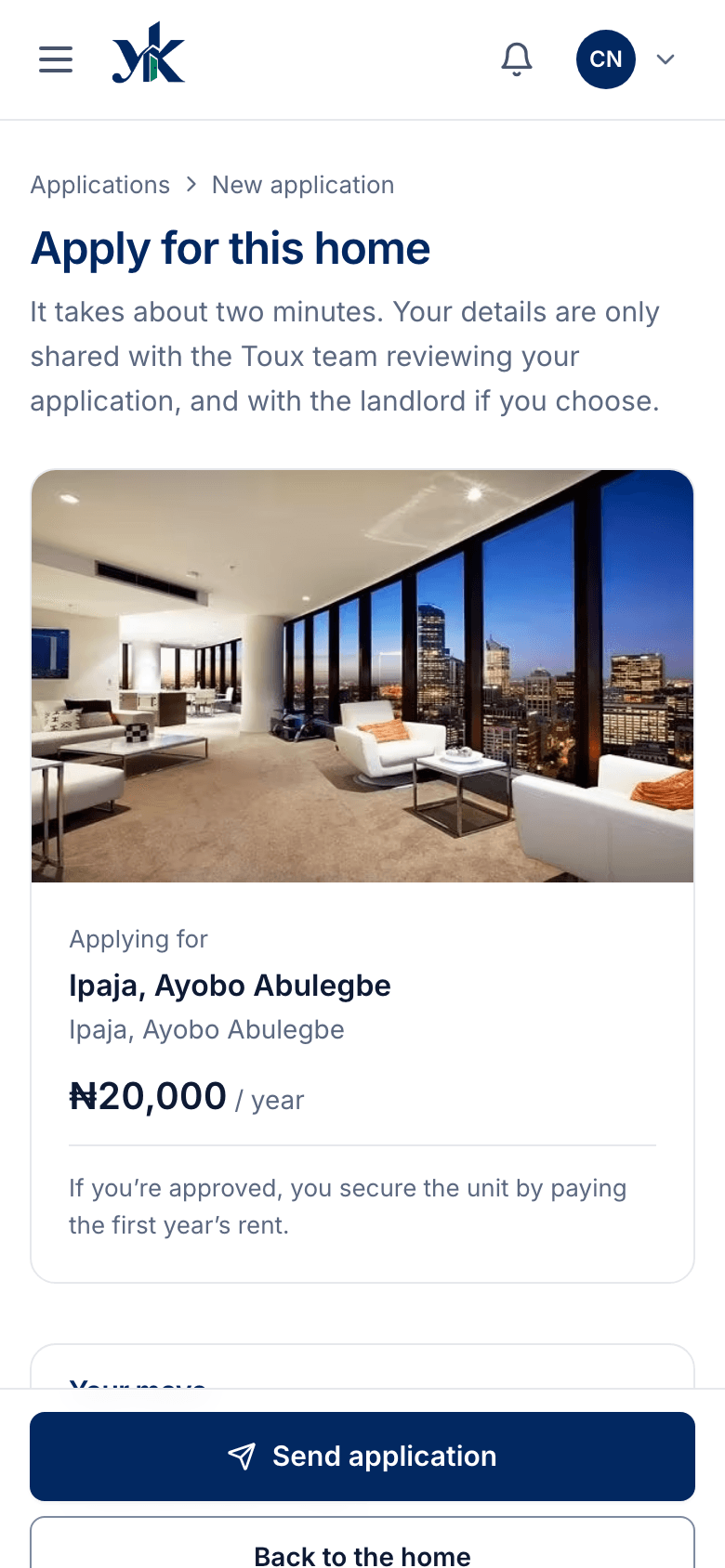
Apply
- You
- Choose Apply for this home and fill in one form: your move-in date, your work and an emergency contact.
- Then
- If you don’t have an account yet, you create one along the way and come straight back to your application.
What the form asks for
- Preferred move-in date
- Job title and employer or business
- Monthly income (optional)
- An emergency contact’s name and phone number
- References, such as a previous landlord or employer (optional)
- Whether to share the application with the landlord. The Toux team always sees it.
Step 3 of 5
Get a decision
- You
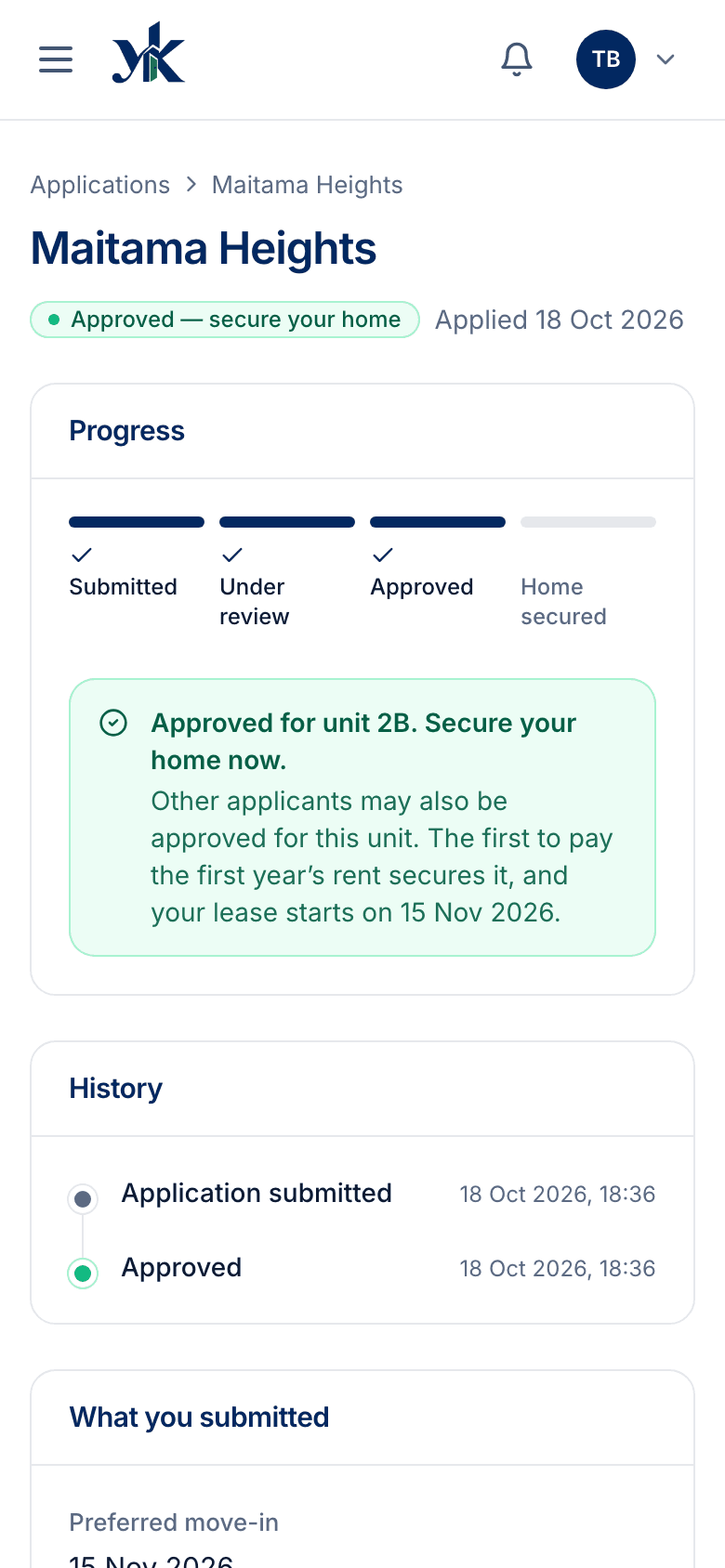
- Follow your application’s progress in your account: submitted, under review, approved, home secured.
- Then
- The Toux team reviews every application and tells you the outcome either way. An approval names your unit and your move-in date.
If more than one person is approved
More than one applicant can be approved for the same unit, and the first to pay secures it. If someone else pays first, your payment is refunded automatically and our team will contact you about other units.
Step 4 of 5
Secure your home and move in
- You
- Pay the amount shown in your approval. Your account shows how to pay.
- Then
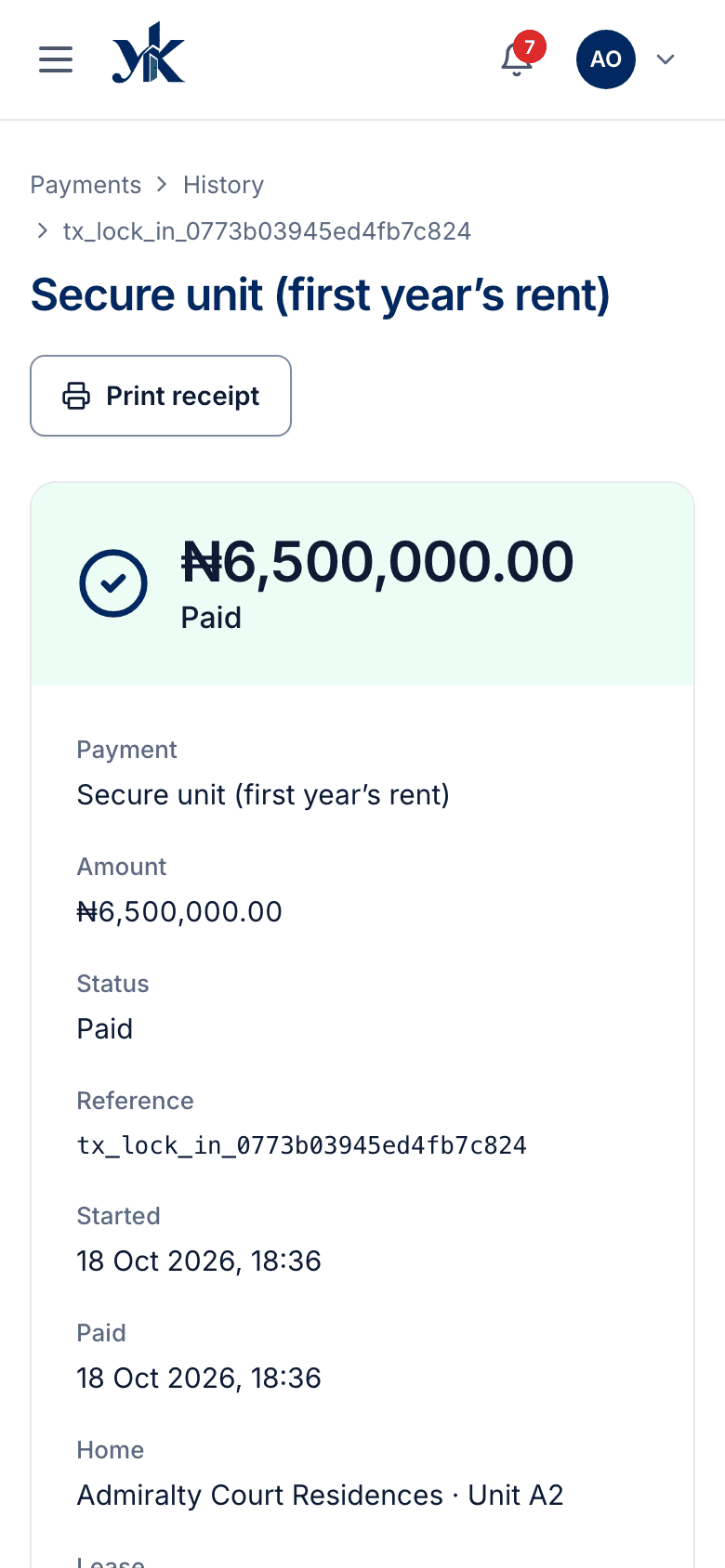
- You get a receipt, and your lease dates, rent and unit appear under My lease. Your lease starts on your move-in date.
About payments
Card details are entered on Paystack’s page and never reach YardKonnect. If a payment fails, check its status in your account before you try again. If you were charged but the payment isn’t showing, open a support request with the payment reference.
Step 5 of 5
Live there
- You
- Pay rent in full or in part, buy electricity tokens or renew TV, and report repairs.
- Then
- Every payment has a receipt, every repair shows its status and updates, and your lease and documents stay in one place.
What renters getEverything in your account
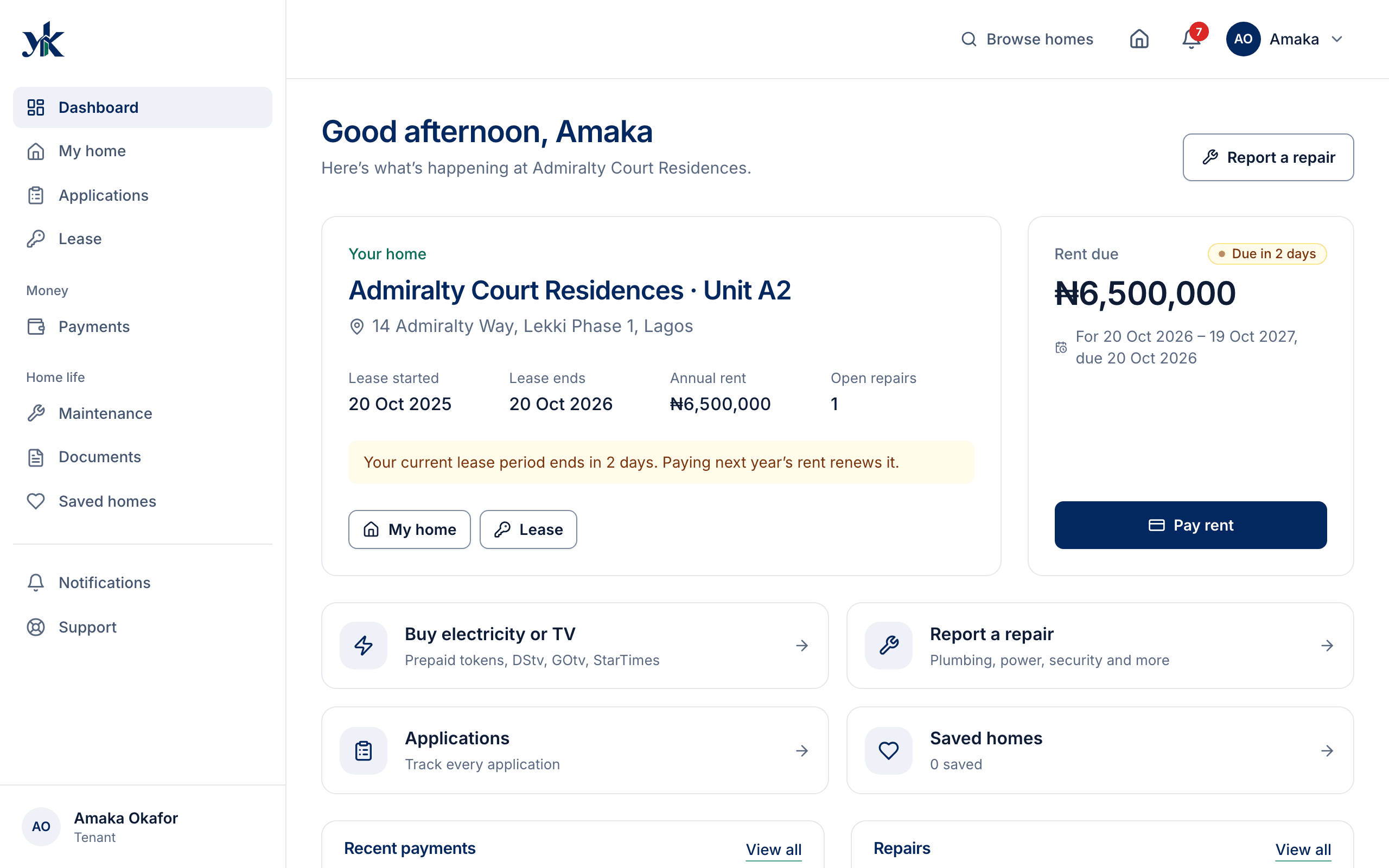
- Rent due and a button to pay it
- Electricity tokens and DStv, GOtv or StarTimes renewals
- Repairs, with every update from the maintenance team
- Receipts, lease and documents
- Support requests to the Toux team
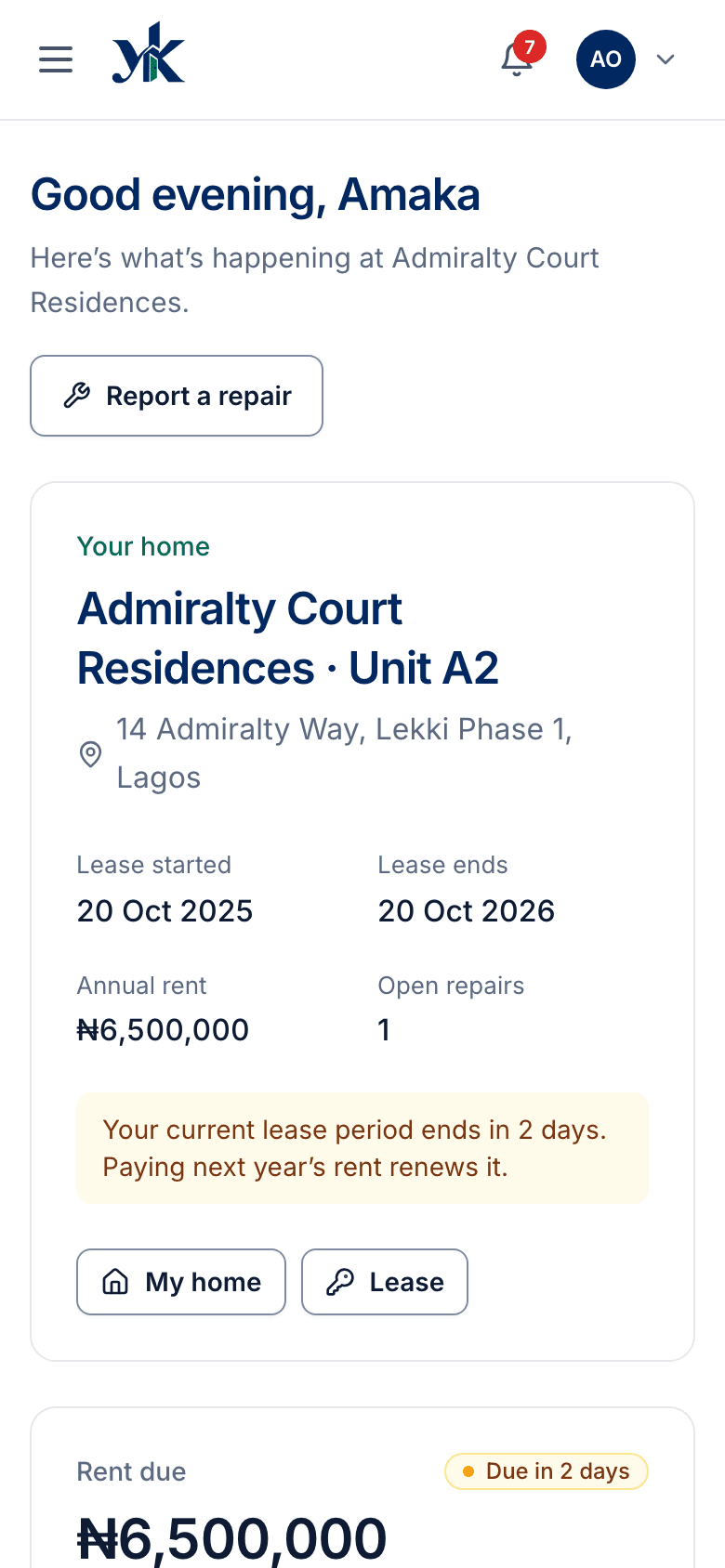

Product screens shown with sample accounts.
After you move in
Your tenancy, in one account.
Rent due and the button to pay it, your lease dates, repairs and every receipt, on a phone or a computer.
Who’s behind each step
- Reviewed by the Toux team
- Toux Properties reviews every application and manages the homes listed here.
- Payments through Paystack
- Every payment has a reference and a receipt in your account. Card details never reach us.
- Help when you need it
- Open a support request in your account, or write to info@touxproperties.com. See Help & FAQs.
Start with step one.
Browse the homes open now. You only need an account when you apply.